

ChatGPT & AI Tools for Beginners: You don’t need a computer science degree to use artificial intelligence. Whether you’ve heard about ChatGPT from a friend, seen it trending on social media, or simply want to keep up with the biggest technological shift of our generation — this guide is your plain-English starting point.
- What is ChatGPT and why does it matter?
- The real benefits of ChatGPT for beginners
- How to use ChatGPT: a step-by-step guide for beginners
- Create your free account
- Start with a clear, specific prompt
- Treat it as a conversation, not a search engine
- Give context when it matters
- Always review before you use
- ChatGPT & AI Tools for Beginners 2026 (beyond ChatGPT)
- Real-world examples: how people are using AI tools right now
- 5 tips to get more out of AI tools as a beginner
Artificial intelligence is no longer something that lives only in science fiction or Silicon Valley boardrooms. In 2026, AI tools are being used by teachers, freelancers, small business owners, students, and curious everyday people — and the barrier to entry has never been lower.
At the center of this shift is ChatGPT, the conversational AI tool developed by OpenAI that sparked a global conversation about how we work, learn, and create. But ChatGPT is just one piece of a rapidly expanding ecosystem, and knowing where to start can feel genuinely overwhelming.
This guide cuts through the noise. We’ll explain what ChatGPT actually is, why it’s become such a powerful tool for beginners, how to use it effectively from day one, and which other AI tools are worth your attention in 2026. By the time you finish reading, you’ll have a clear, practical foundation — and the confidence to start experimenting on your own.
What is ChatGPT and why does it matter?
ChatGPT is a large language model developed by OpenAI. In plain terms, it’s a conversational AI tool that can understand natural language — the way you and I actually speak and write — and respond in a way that feels remarkably human.
You type a message, and ChatGPT responds. It can answer questions, write emails, summarize documents, explain complex concepts, generate creative ideas, help with coding, and much more.
What makes ChatGPT particularly significant isn’t just what it can do — it’s how accessible it is. Unlike earlier AI systems that required technical expertise to operate, ChatGPT is designed around conversation. There’s no code to write, no interface to decode.
If you can type a sentence, you can use it. That accessibility is what transformed ChatGPT from a niche tech product into a cultural phenomenon — and why it became the fastest-growing consumer application in history, reaching 100 million users in just two months after launch.
The real benefits of ChatGPT for beginners
Instant writing help
Draft emails, essays, captions, and reports in seconds — even if writing has never been your strong suit
Saves hours daily
Condenses research, summarizes long documents, and handles repetitive tasks so you can focus on what matters
Available 24/7
No office hours, no waiting — assistance is ready whenever you need it, day or night
Sparks creativity
A surprisingly powerful brainstorming partner — especially useful when you’re stuck or starting from a blank page
Deeply versatile
Works across dozens of tasks — from explaining concepts and debugging code to planning trips and generating content
Free to start
The free tier of ChatGPT gives beginners full access to experiment before committing to any paid plan
Beyond the individual benefits, there’s a broader opportunity here that beginners often miss. People who learn to use ChatGPT and AI tools effectively right now are building a skill set that is already becoming as fundamental as knowing how to use a spreadsheet or write a professional email. The learning curve is gentle — but the compounding advantage of starting early is significant.
How to use ChatGPT: a step-by-step guide for beginners
Create your free account
Visit chat.openai.com and sign up with your email address or Google account. The free tier gives you full access to start — no credit card required.
Start with a clear, specific prompt
The quality of ChatGPT’s response is directly tied to the clarity of your request. “Write a professional email declining a meeting” gets far better results than simply “write an email.”
Treat it as a conversation, not a search engine
If the first response isn’t quite right, follow up. Ask for a shorter version, a different tone, or more detail on a specific point. The back-and-forth is where the real power lies.
Give context when it matters
The more relevant context you provide — your audience, your goal, your constraints — the more useful the output becomes. ChatGPT works with what you give it.
Always review before you use
ChatGPT is a powerful tool, not an infallible expert. Treat its output as a strong first draft that you refine — especially for anything factual, legal, or medical in nature.
“The best prompt isn’t always the cleverest one — it’s the clearest one. Tell ChatGPT exactly what you need, who it’s for, and what you want it to avoid. That’s the difference between a generic answer and a genuinely useful one.”
ChatGPT & AI Tools for Beginners 2026 (beyond ChatGPT)
ChatGPT may be the most well-known AI tool for beginners, but it’s far from the only one worth knowing. The broader AI tools landscape has matured rapidly, and several platforms now offer specific capabilities that complement or rival what ChatGPT does best.
Writing & grammar
Grammarly
AI-powered grammar and tone checker that improves your writing in real time — an essential companion for anyone who writes professionally
Visual design
Canva AI
Makes professional graphic design accessible to everyone — its AI features can generate layouts, resize content, and suggest visuals instantly
Image generation
DALL-E 3
OpenAI’s image generation model, integrated into ChatGPT — describes any scene in text and generates a unique, high-quality image from it
Video creation
Runway ML
An AI video tool that allows beginners to generate, edit, and enhance video content without any professional editing experience
Research & notes
Perplexity AI
An AI-powered search and research tool that cites its sources — excellent for fact-finding without wading through pages of search results
Analytics
Google Analytics 4
Uses machine learning to surface insights about website traffic and user behavior — increasingly beginner-friendly with its AI-generated summaries
Real-world examples: how people are using AI tools right now
Small business
24/7 customer service
An e-commerce store uses ChatGPT to handle FAQs and order inquiries around the clock — freeing human agents for complex issues and cutting response time from hours to seconds
Education
Personalized learning materials
A high school teacher uses ChatGPT to generate quizzes, lesson summaries, and differentiated study guides — saving hours of prep time every week
Freelancing
Beating writer’s block
Freelance writers use ChatGPT to generate outlines, overcome creative blocks, and draft first versions faster — increasing output without sacrificing quality or voice
Marketing
Data-driven campaigns
A marketing team uses AI analytics tools to monitor campaign performance in real time and adjust messaging on the fly — resulting in measurably higher conversion rates
5 tips to get more out of AI tools as a beginner
Understanding what AI tools can do is one thing — knowing how to use them well is another. These five habits will help you extract more value from ChatGPT and any other AI tool you explore:
Define your goal before you type anything. The clearer you are about what you need, the better the output will be. Vague inputs produce vague outputs — it’s that straightforward.
Experiment with your prompts. Slightly different wording can produce dramatically different results. There’s no single “right” way to phrase a request, so treat prompting as a skill you develop through practice rather than a formula you follow once.
Build it into your daily routine. The people who get the most from AI tools are the ones who use them consistently — not just when they’re stuck. Regular use builds both familiarity and a more intuitive sense of when and how to reach for them.
Stay curious about new features. The AI tools landscape is evolving faster than almost any technology in recent memory. New capabilities are released regularly, and the tool you used three months ago may be significantly more powerful today.
Trust but verify. ChatGPT and other AI tools are genuinely impressive — but they make mistakes, have knowledge cutoffs, and can occasionally present incorrect information with great confidence. For anything consequential, always cross-reference with authoritative sources.
Bottom line
The most important thing beginners can do with ChatGPT and AI tools in 2026 is simply start. You don’t need a perfect strategy or a deep technical background — you need curiosity, a willingness to experiment, and the patience to learn through doing. The tools are ready. The only question is whether you are.
FAQ’s
1. What is ChatGPT and how does it work?
ChatGPT is an AI-powered assistant that understands and generates human-like text based on the prompts you provide.
2. Do I need technical skills to use AI tools?
No, most modern AI tools are designed for beginners and can be used without coding or technical experience.
3. What are the best AI tools for beginners in 2026?
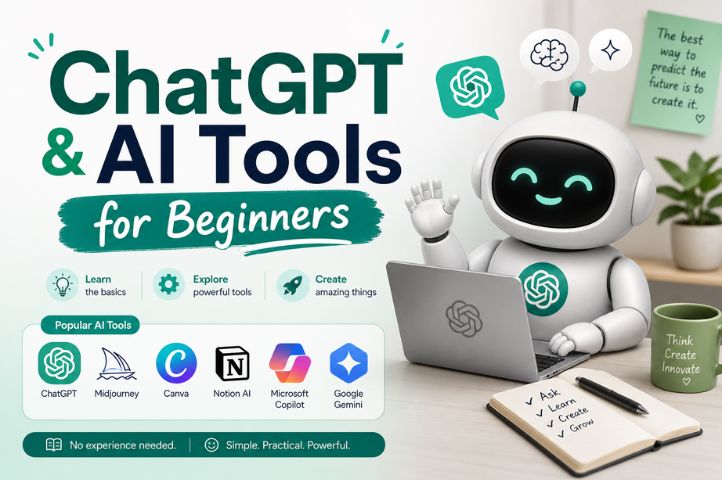
Popular beginner-friendly AI tools include ChatGPT, Google Gemini, Microsoft Copilot, and various AI-powered writing and design platforms.
4. Can AI tools help with work and studies?
Yes, AI tools can assist with research, writing, brainstorming, learning, organization, and productivity tasks.
5. Are AI tools free to use?
Many AI tools offer free plans with basic features, while advanced capabilities are often available through paid subscriptions.